Monitoring
How to monitor Acme pipelines in production using the built-in dashboard, Prometheus metrics, Grafana integration, alerting, and structured logging.
Monitoring
Once your pipelines are running in production, you need visibility into their health. Acme provides built-in metrics, logging, and integrations with popular monitoring tools.
Dashboard
Acme includes a web dashboard for monitoring pipeline status:
acme dashboard --port 3000
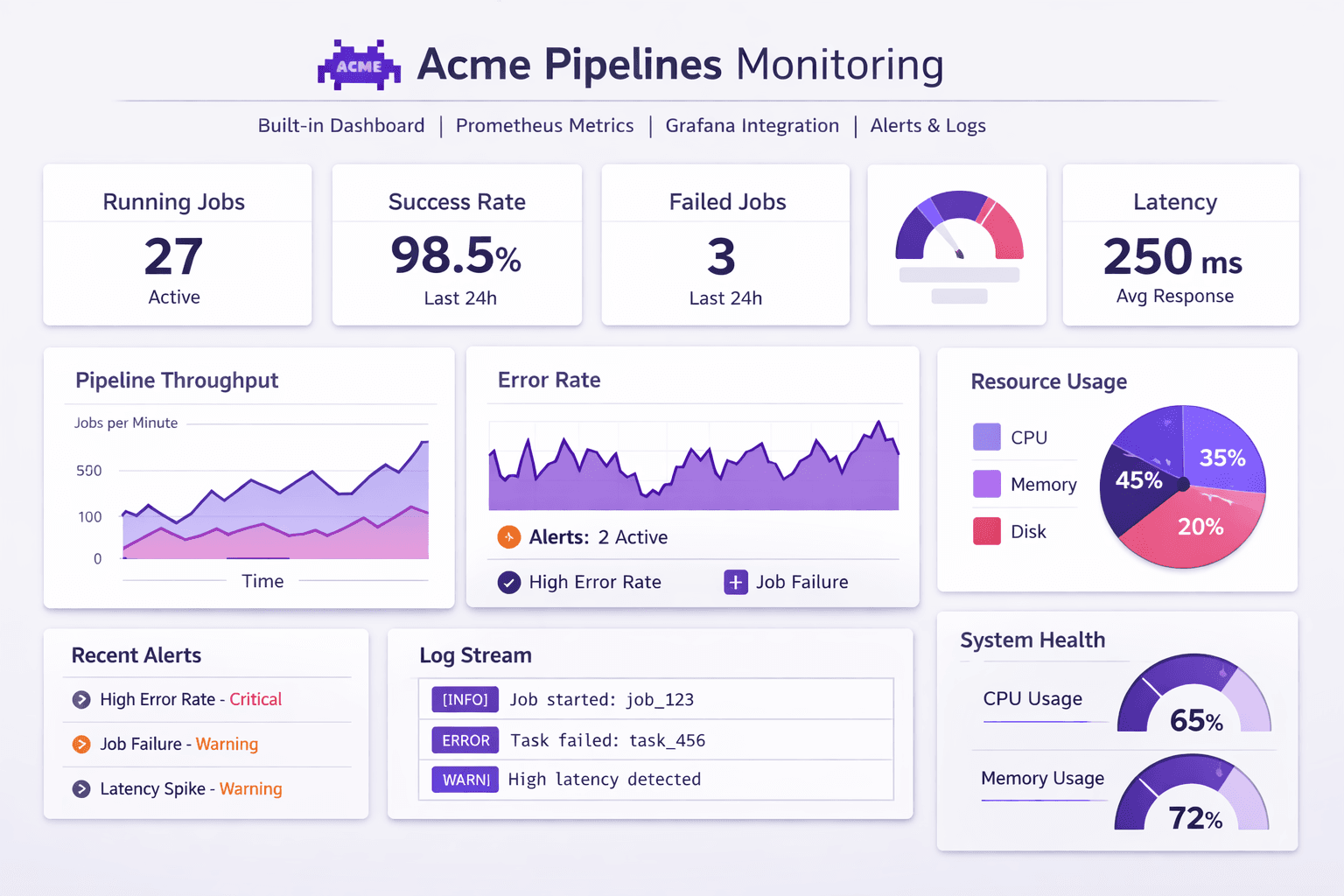
The dashboard shows:
- Pipeline run history and status
- Row counts per pipeline
- Error rates and latency
- Resource usage (CPU, memory)
Metrics
Acme exposes Prometheus-compatible metrics at /metrics:
# Pipeline run duration
acme_pipeline_duration_seconds{pipeline="user-analytics",status="success"} 4.7

# Rows processed
acme_rows_processed_total{pipeline="user-analytics",stage="extract"} 1247
acme_rows_processed_total{pipeline="user-analytics",stage="load"} 892

# Active pipelines
acme_active_pipelines 3

# Error count
acme_errors_total{pipeline="user-analytics",type="transform"} 0
Grafana integration
Import the Acme Grafana dashboard:
acme monitoring export-grafana > grafana-dashboard.json
# Pipeline success rate (last 24h)
rate(acme_pipeline_runs_total{status="success"}[24h])
/
rate(acme_pipeline_runs_total[24h])

# Average pipeline duration
histogram_quantile(0.95, acme_pipeline_duration_seconds_bucket)

# Error rate per pipeline
rate(acme_errors_total[1h])
Alerting
Built-in alerts
Configure alerts in acme.yml:
monitoring:
  alerts:
    - name: pipeline-failure
      condition: "status = 'failed'"
      channels: [slack, email]

    - name: high-latency
      condition: "duration_seconds > 300"
      channels: [slack]

    - name: data-drift
      condition: "row_count_change > 50%"
      channels: [email]
Alert channels
monitoring:
  channels:
    slack:
      webhook: ${SLACK_WEBHOOK}
      channel: "#data-alerts"

    email:
      smtp: smtp.example.com:587
      from: alerts@example.com
      to:
        - data-team@example.com
        - oncall@example.com

    pagerduty:
      routing_key: ${PAGERDUTY_KEY}
      severity: critical
Logging
Acme outputs structured JSON logs by default:
{
  "level": "info",
  "timestamp": "2026-02-15T06:00:00Z",
  "pipeline": "user-analytics",
  "stage": "extract",
  "message": "Extracted 1247 rows from users_db",
  "duration_ms": 1200,
  "row_count": 1247
}
Log levels
| Level | Description |
|---|---|
debug | Detailed processing info (per-row logging) |
info | Pipeline lifecycle events |
warning | Non-fatal issues (retries, slow queries) |
error | Failed operations |
critical | System-level failures |
Configure log level:
acme run --log-level debug
Or in configuration:
logging:
  level: info
  format: json # json | text
  output: stdout # stdout | file
  file: /var/log/acme/pipeline.log
Ship Acme logs to your existing log aggregation system (ELK, Datadog, CloudWatch) for centralized monitoring. The JSON format is designed for easy parsing.
Related
- Deployment — deploy with monitoring enabled
- Error Handling — configure error notifications
- Events API — programmatic access to pipeline events
